 Tabs
Platform · Apps
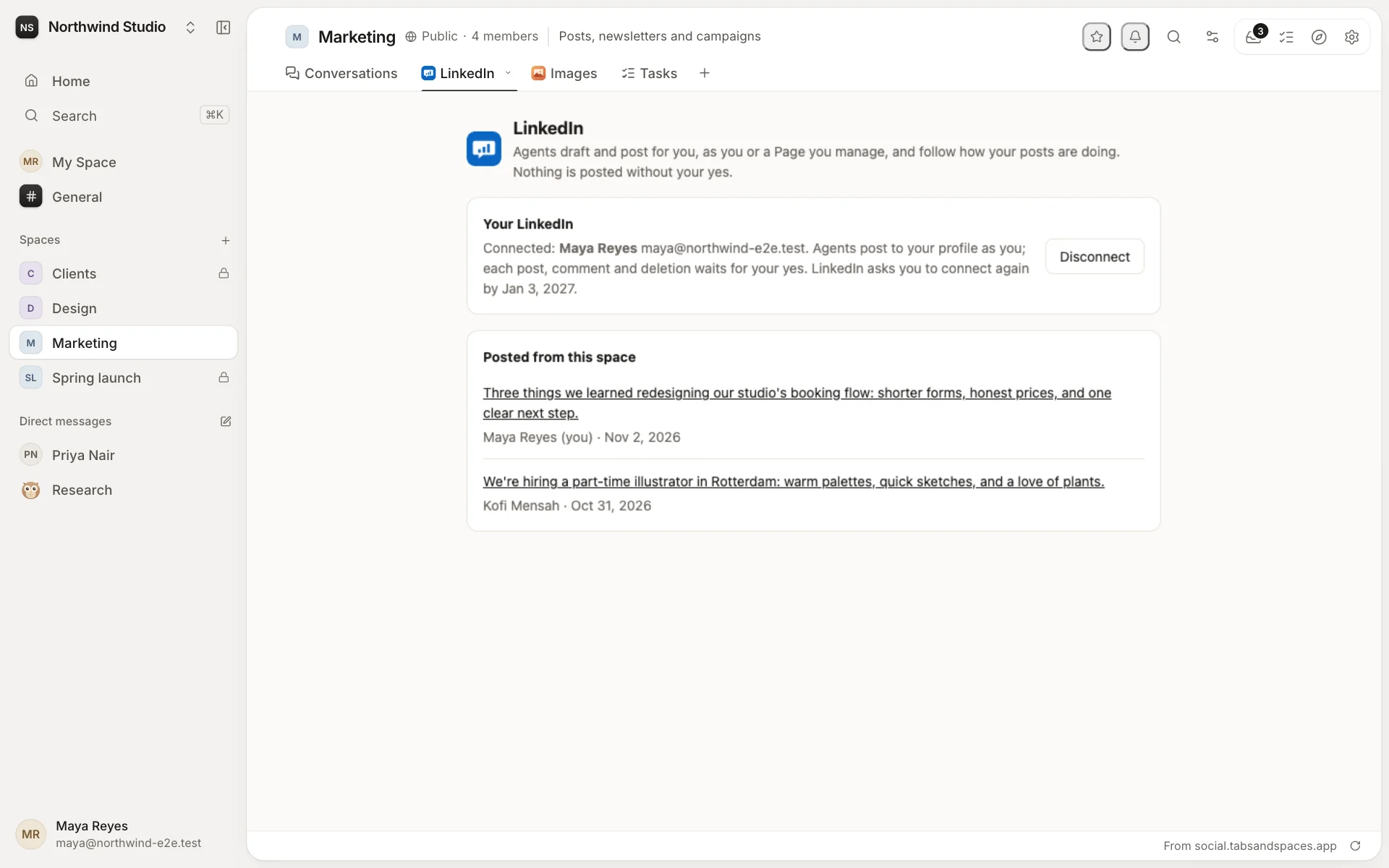
Apps bring other tools into your workspace.
An app adds what isn't built in: custom tabs in your spaces, a home page for your workspace, and actions agents can use for you. Install ours, others' from the marketplace, or make your own.
What an app can add
- Custom tabs, for any space: a CRM, a dashboard, a planner. See Tabs.
- Home pages for the whole workspace, chosen by its owners and admins.
- Actions agents use for you. Ones that only read run at once; ones that change something wait for your yes.
- Events that start automations, like a new email or a pull request.
- Cards and views in agents' answers, showing what they found.
Installing an app
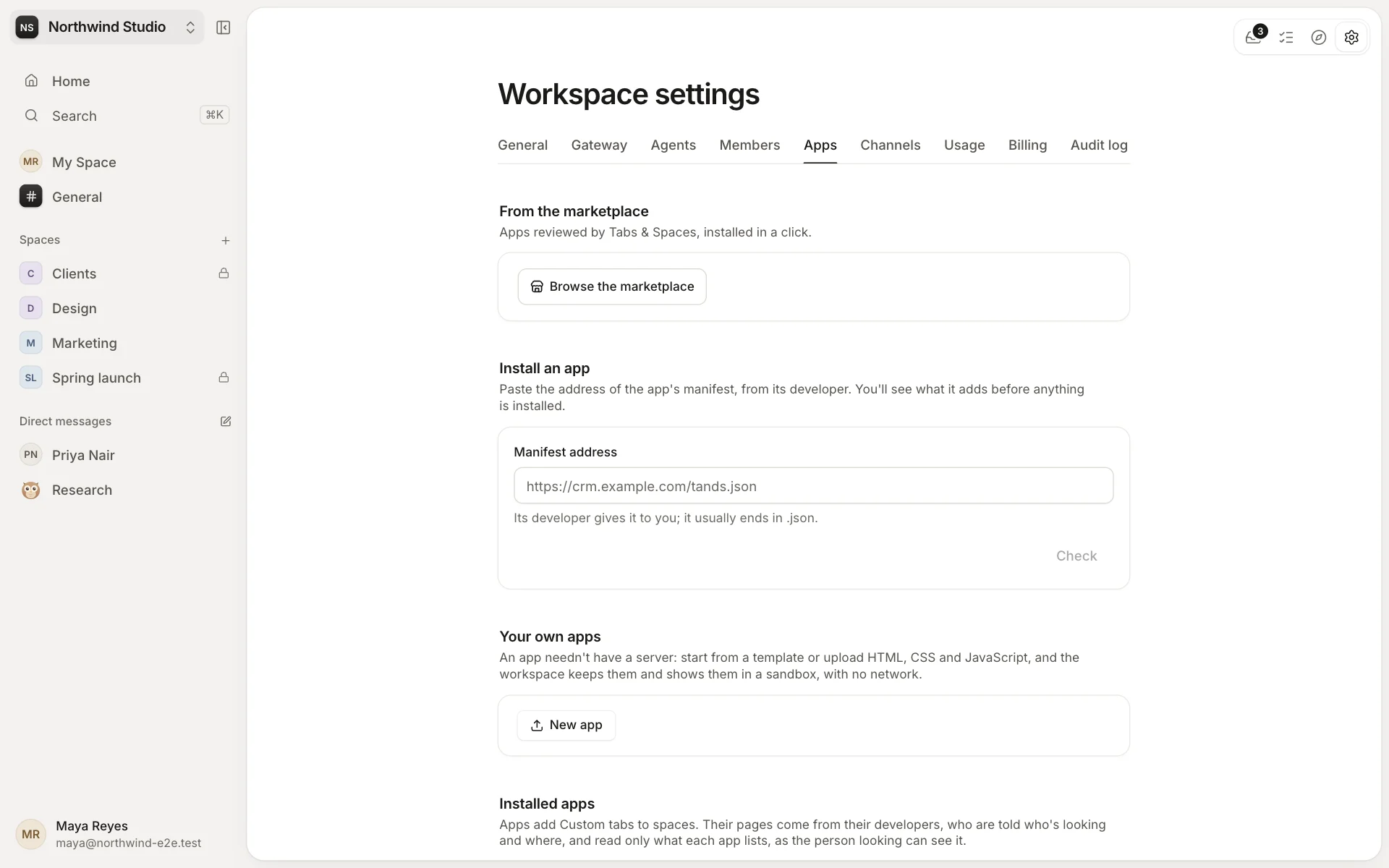
Owners and admins install apps in Settings → Apps: from the marketplace, or by pasting the address its developer gives them. Before anything is installed, they see what it adds, where its pages come from and what it may read. An app only ever reads what the person looking can see, and never more than it asked for.
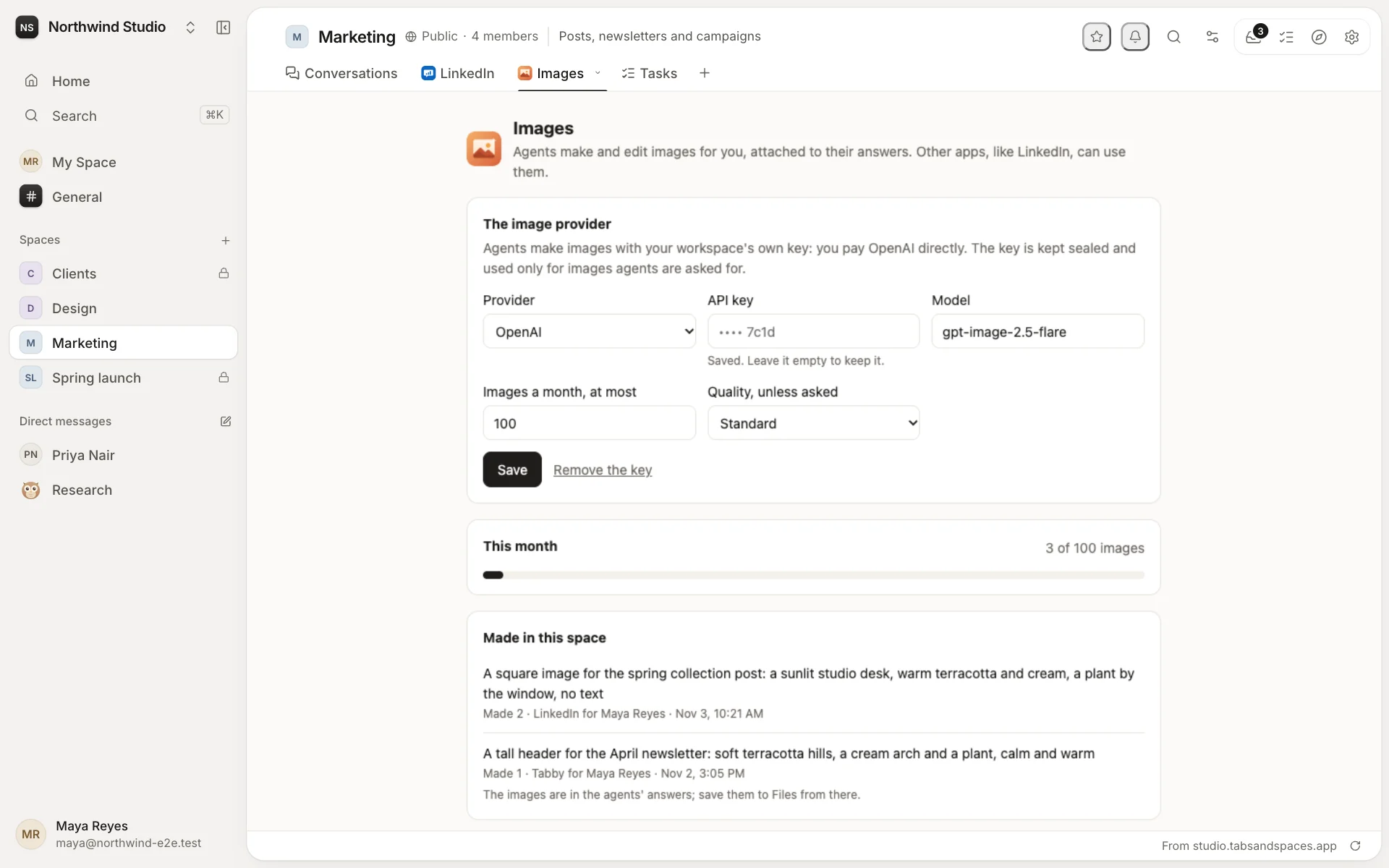
Our own apps include GitHub, Gmail, Google Calendar, Google Drive, LinkedIn and Images. With each one, every person connects their own account, or the workspace adds its own key.
Make your own
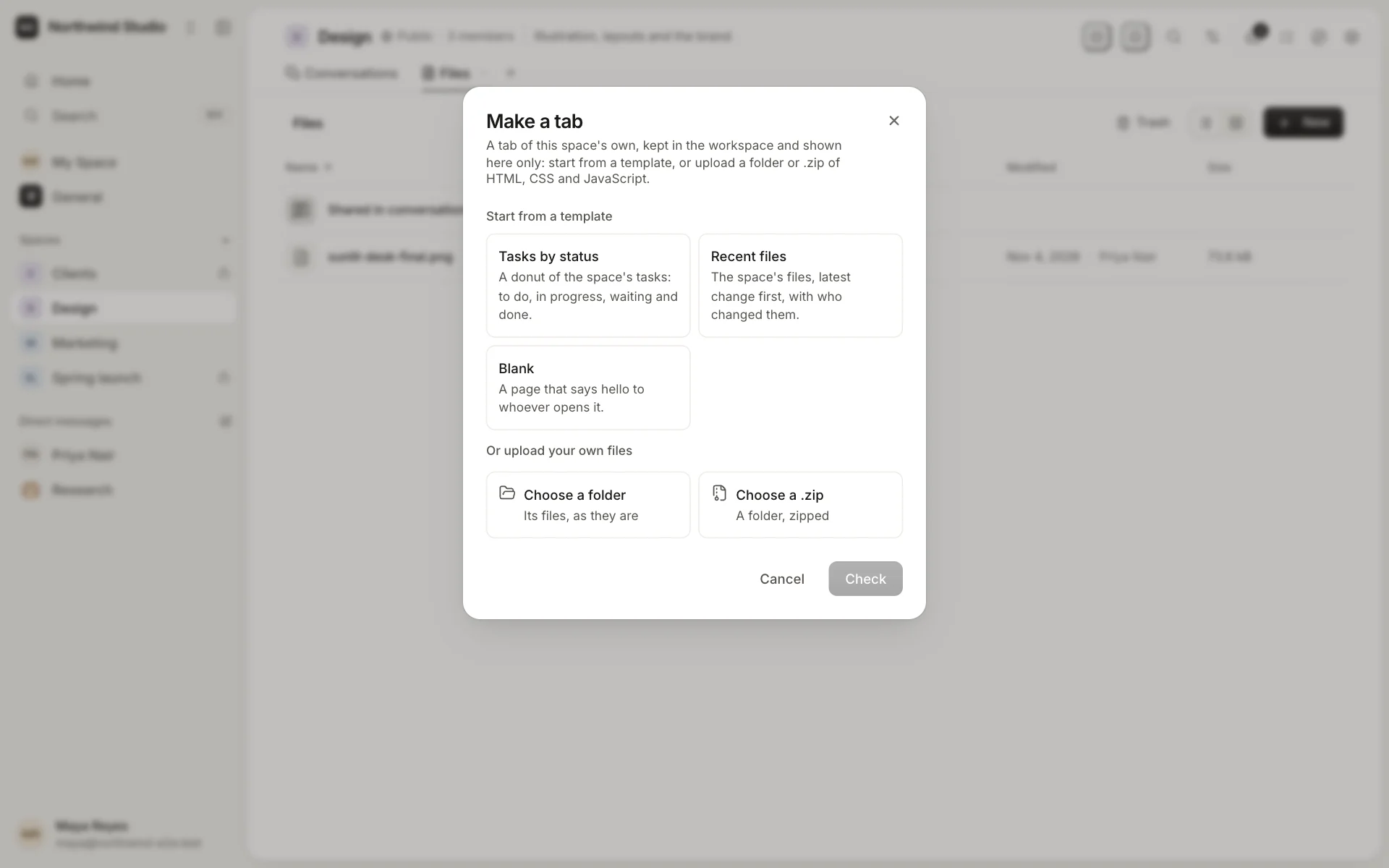
An app doesn't need a server. Make your own starts a tab from a template (tasks by status, recent files, the workspace at a glance) or from a folder of HTML, CSS and JavaScript. The workspace keeps the files and shows them in a sandbox, and you edit them beside the tab. A space's own tab can then be offered to every space, once an admin approves it.
Home pages
A workspace's Home can be a page from an app: the week's numbers, a team directory, a welcome for new people. Owners and admins choose it in Settings → General → Home, and the built-in Home stays a click away. Home page templates are in the marketplace too.