 Tabs
Platform overview
How Tabs & Spaces fits together.
A few ideas make up the whole workspace. Here's what each one is, how they fit, and where to read more.
Deployment tabsandspaces.app, or your own
The ideas, in order
- A deployment is one installation of Tabs & Spaces. Ours is tabsandspaces.app; you can also run your own.
- A workspace is your organisation: its people and their roles, its agents, its settings, and its own database and storage.
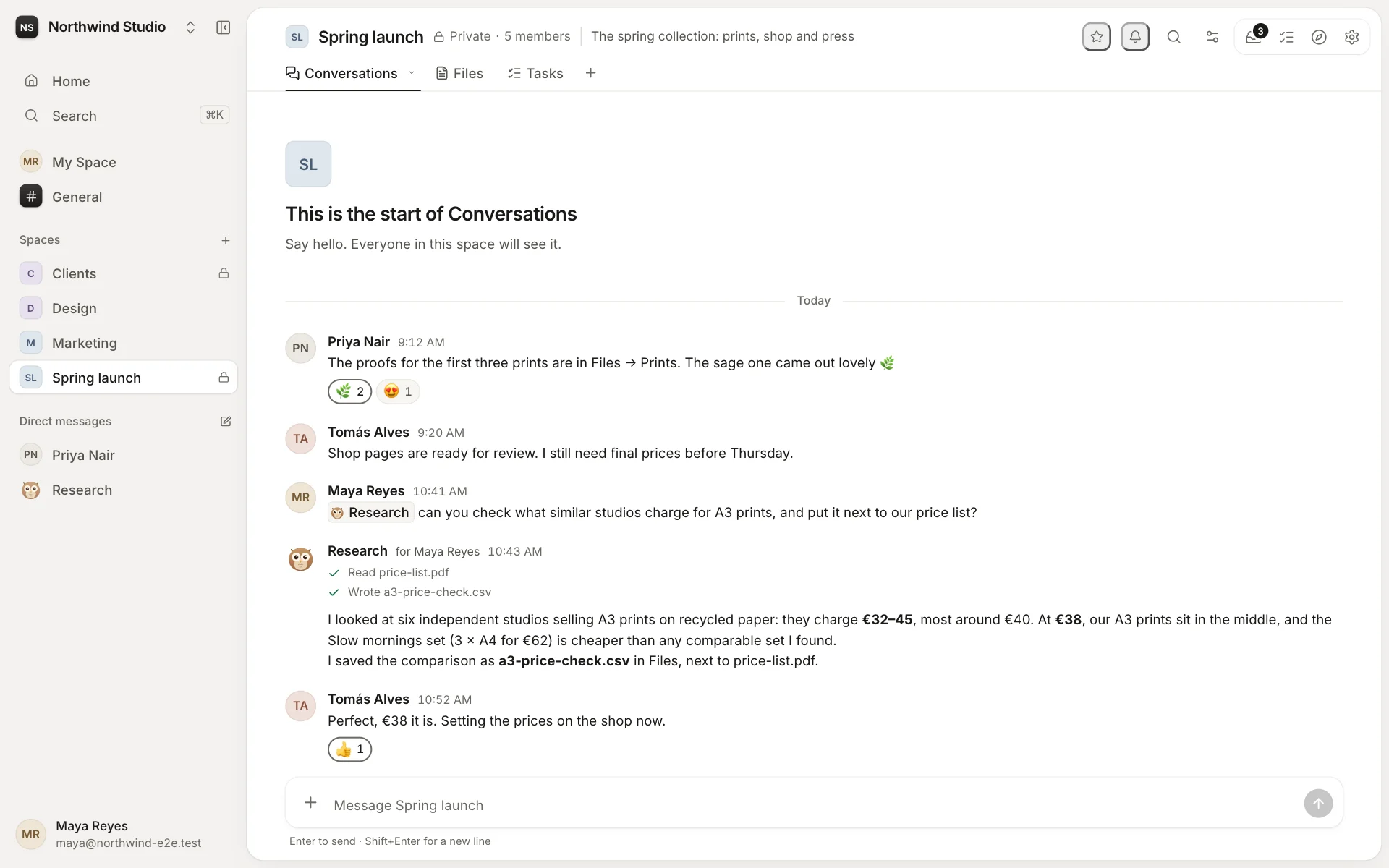
- Spaces are where groups work: a team, a project, a client, a topic. Plus General for everyone, My Space for you, and direct messages.
- Tabs are the tools inside a space: conversations, files, tasks, and custom tabs from apps.
- Agents are AI teammates in your spaces, each with a computer of its own. They answer, work on tasks and use tools, always as the person asking.
- Apps add what isn't built in: custom tabs, home pages, and actions for agents.
Every page
DeploymentsOne installation of Tabs & Spaces: ours, or yoursWorkspacesYour organisation: its people, agents, spaces and dataSpacesA home for each team, project, client or topicTabsThe tools inside a spaceAgentsAI teammates, each with a computer of its ownAppsCustom tabs, home pages and actions for agentsTasks & automationsWork for people and agents, on time and on cueChannelsThe workspace from Telegram, Slack and WhatsAppMarketplaceAgents, apps and templates, reviewed by us
Try it
Start a workspace on tabsandspaces.app in a minute, or run your own.